🔥 Introduction
If you run a nopCommerce store, you already know how important it is for your products to stand out.
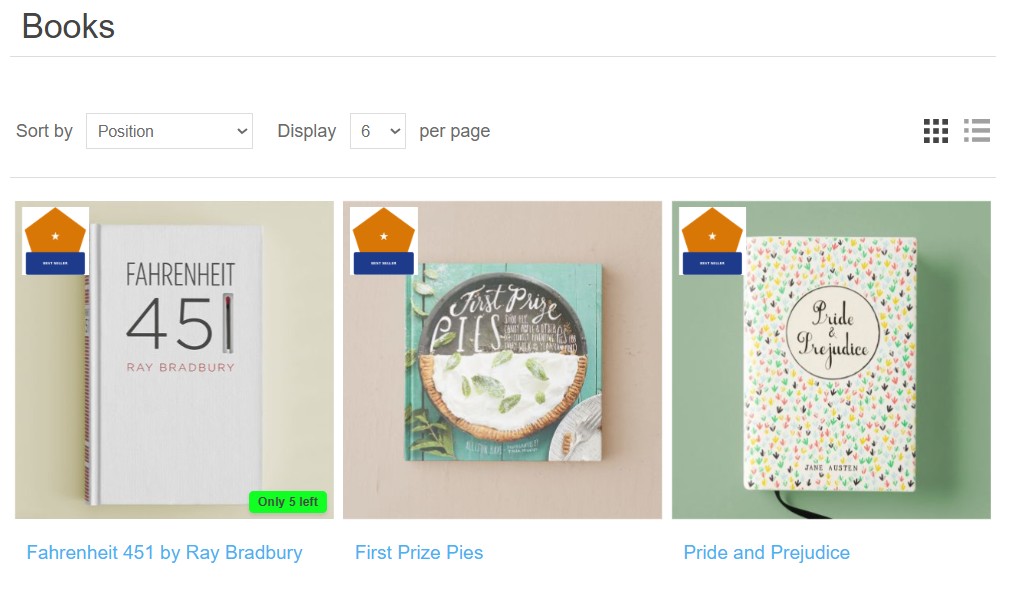
The Product Badges Plugin for nopCommerce adds visual labels directly on product images — badges for discounts, low stock, new products, brand, category, or fully custom badges.
These visual elements increase click-through rate (CTR), improve user experience, and help boost conversions, exactly as recommended by eCommerce SEO guidelines: relevant content, strong UX, optimized images, and clear visual signals for both users and search engines.
🎯 Why badges are critical for SEO in nopCommerce
According to nopCommerce SEO guidelines, Google favors pages that:
- have optimized images relevant to search intent;
- provide good UX and immediately visible information;
- use structured data (schema.org) and clear content;
- show strong engagement (clicks, time on page).
Visual badges directly support these SEO signals:
- More clicks in product listings — badges attract attention and increase CTR, an indirect ranking factor.
- Lower bounce rate — users understand key information faster (discount, stock, newness).
- More relevant images for Google Images — Google indexes images with alt text and clear visual context; badges add semantic meaning.
- Richer content on category pages — Google prefers category pages with visual elements and additional information.
🧩 Included badge types
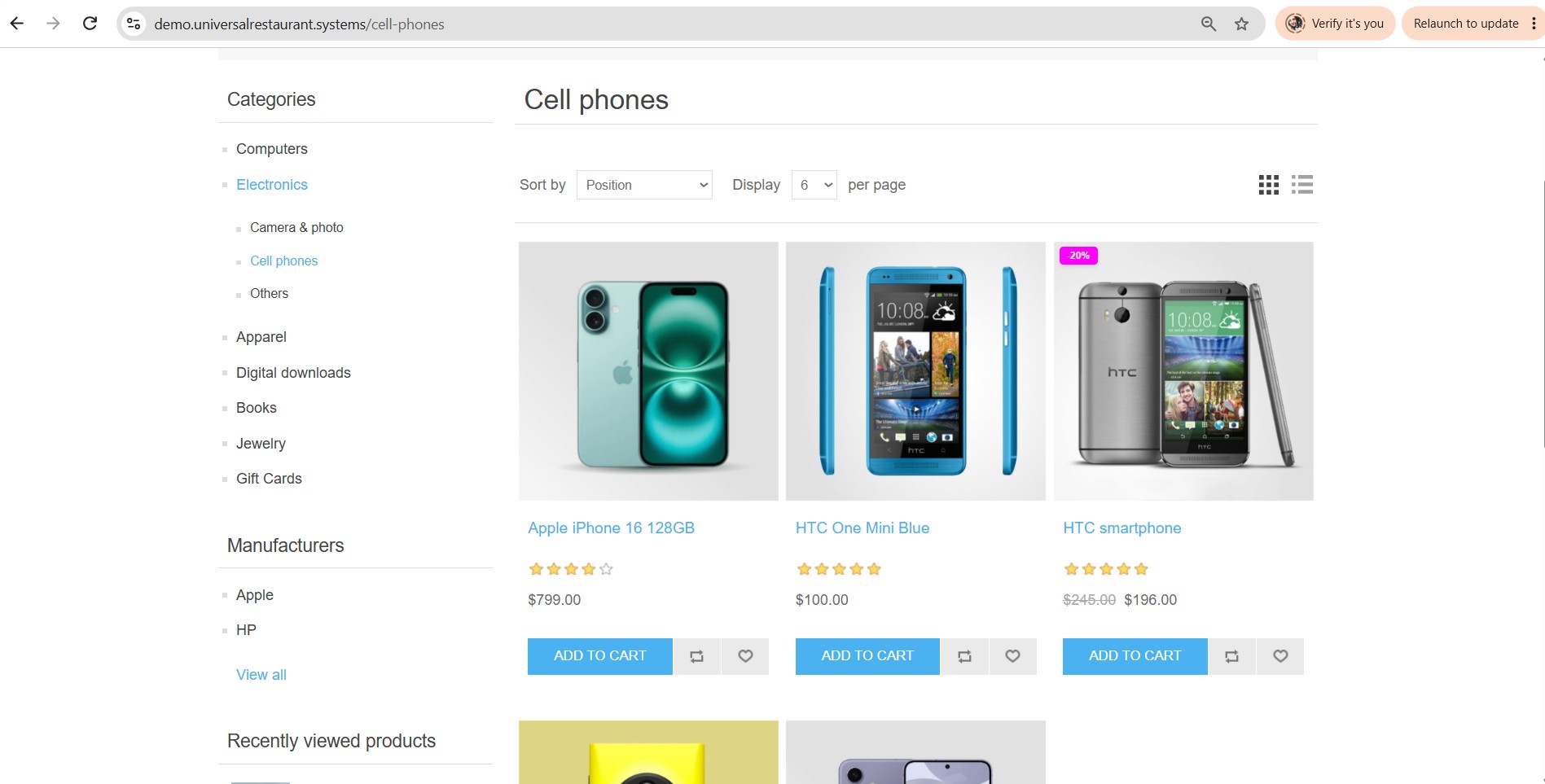
✔ Discount (-X%)
Automatic percentage-based discount badges. Perfect for campaigns, Black Friday, seasonal promotions.
✔ Low Stock
Automatically displays “Only X left” when inventory drops below the configured threshold. Creates urgency → increases conversions.
✔ New Product
Automatic badge for products marked as “Mark as new” in admin.
✔ Manufacturer (Brand)
Displays the product’s brand directly on the image.
✔ Category
Automatic badges for all products within a category.
✔ Custom
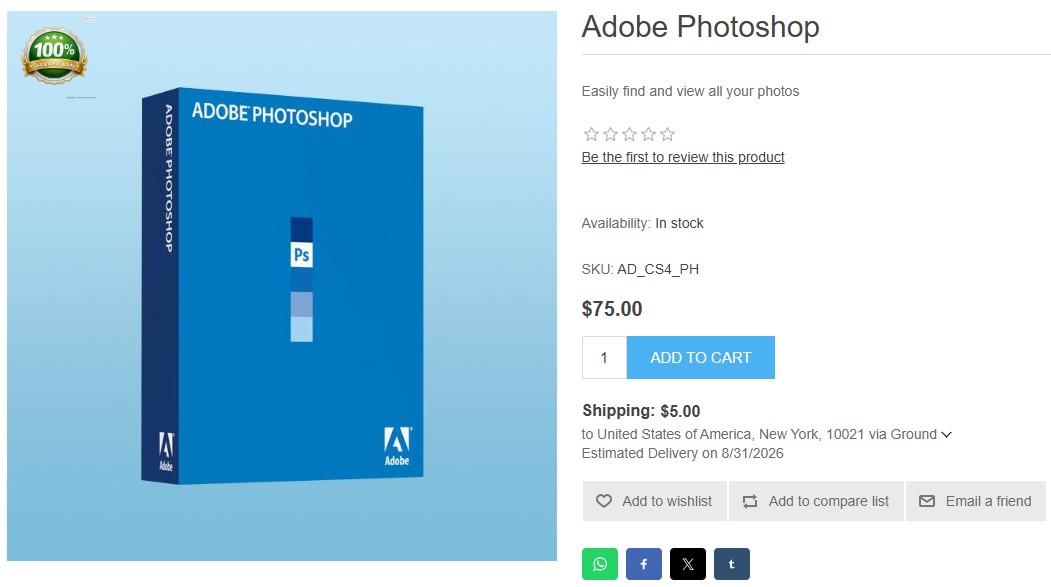
Create any badge you want: text, colors, PNG/SVG images, per-product assignment or bulk assignment.
🎨 Modern, minimalist design compatible with any theme
The plugin is built to fit seamlessly into any nopCommerce theme:
- theme palette colors (automatically extracts original theme colors);
- positioning in all 4 corners of the product image;
- customizable offsets;
- support for transparent PNG and SVG images;
- custom CSS per badge;
- configurable dimensions (width / height);
- compatible with all nopCommerce 4.90 themes.
❓ Frequently Asked Questions
Which nopCommerce version is supported?
The plugin is built for nopCommerce 4.90, and most features also work on versions 4.50+.
How do I install it?
Installation is identical to any nopCommerce plugin: upload the .zip file in Configuration → Plugins → Local plugins → Upload, then click Install. All steps are explained in the full documentation.
Can I display multiple badges on the same product?
Yes. You can enable Allow multiple badges and set the maximum number of badges per product.
Can badge text be translated?
Yes. The plugin uses nopCommerce string resources and includes 12 languages.
🚀 Get started with Product Badges
One-time cost: $19.99 · free updates · secure payment via Stripe
Buy now — $19.99